
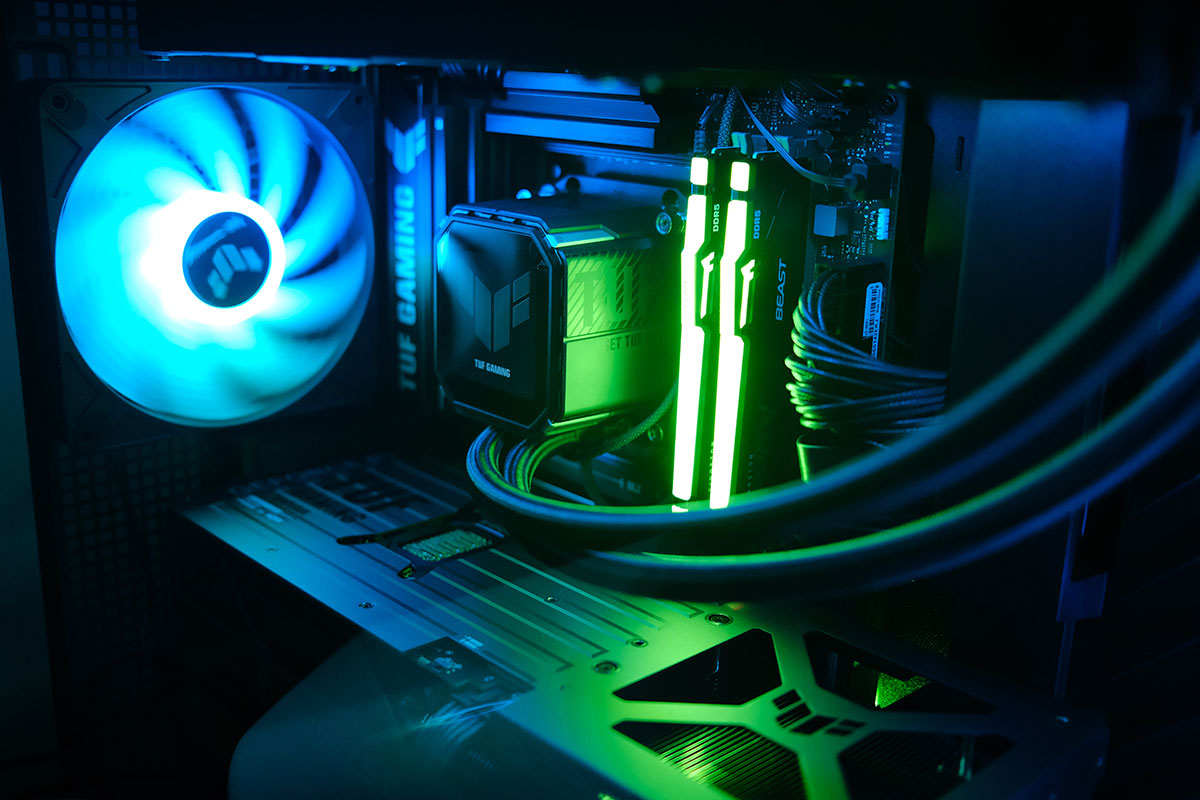
A couple of weeks ago I posted about the fact that I was thinking of building a gaming PC for my sim racing needs. After a lot of flip flopping on the idea because of the high cost involved, I finally pulled the trigger.
I was put off by the idea of spending so much on a PC since it was just going to be used for gaming, and my Mac mini which I use to earn a living cost me way less. But after going back and forth in my head and reading about how prices were just going to go up, I decided if I could build a PC for 1,250 I’d get it. So I headed to Hawally to see what the prices were like since up till that point I was just checking local stores that had websites.
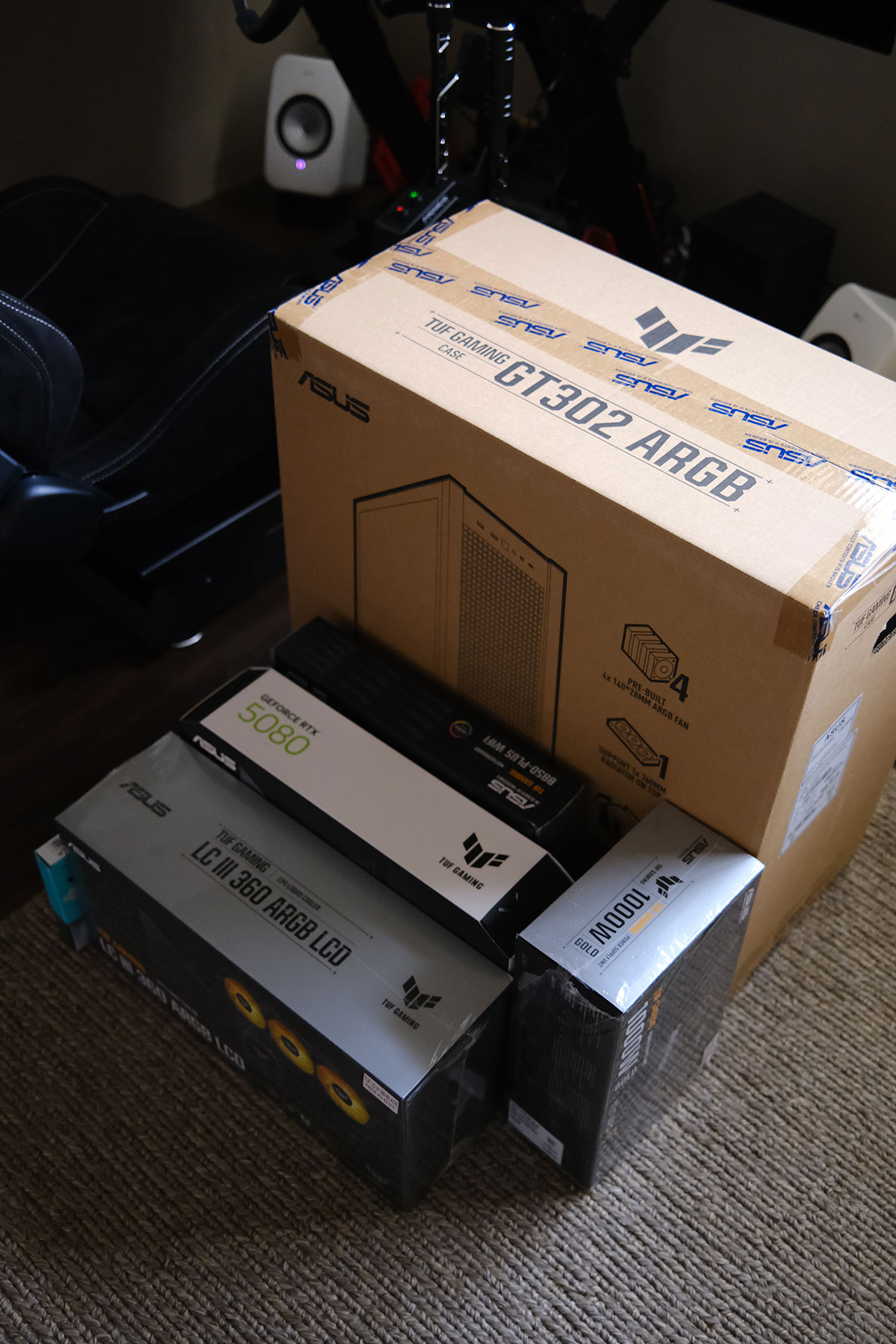
99% of the shops were selling everything for the exact same price as the ones online, so that wasn’t helpful. But then on my way to PCkuwait which up to that point had the best prices, I decided to pass by Limra Computers.
I posted about Limra all the way back in 2012, they’ve always been my go to place mostly for hard drives and other computer accessories. But for some reason I forgot that they carry everything in that tiny shop. So I passed by and gave him the full list of items I wanted and he quoted me a 1,300 KD. I still needed a way to drop it down to 1,250 so I decided to swap the motherboard from the Asus TUF B870E to the TUF B850Plus since it wasn’t going to make a difference for my use. That reduced the price considerably and I left to sleep on it and then came back the next day to buy it.
This was my final build:
CPU
AMD Ryzen 7 9850X3D – 180 KD
Motherboard
ASUS TUF Gaming B850-Plus WiFi7 – 82 KD
RAM
Kingston Fury Beast RGB 32GB DDR5 6000MHz CL30 – 145 KD
SSD
Samsung 9100 Pro 2TB PCIe 5.0 – 135 KD
GPU
ASUS TUF Gaming GeForce RTX 5080 OC 16GB – 570 KD
Cooler
ASUS TUF Gaming LC III 360 ARGB LCD – 58 KD
PSU
ASUS TUF Gaming 1000W Gold ATX 3.1 – 58 KD
Case
ASUS TUF Gaming GT302 ARGB – 40 KD
Total
1,268 KD including a Windows 11 Pro license
I compared my total price to NewEgg.com and surprisingly it was exactly the same. The different items varied in cost, like some things are cheaper in Kuwait, some cheaper on NewEgg, but the total still came out to be the same thing. That made me feel a bit better. So far though my experience has been a bit of a mess… on the software side.
I built the PC myself which was easy and the fun part. It’s been 25 years since I put a PC together and surprisingly nothing has changed, it’s still the exact same process. I’m glad I stuck to the Asus TUF ecosystem for everything since visually everything just looks good together.
But when it came to software, thats where things got mess.
I ran into issues installing Windows 11 since the installer couldn’t see my hard drive. Online I read that because its a new Gen 5 drive that some motherboards had trouble reading it, and after hours of trying different workarounds in the BIOS to get Windows to read my drive, it turned out the issue was with the Windows 11 boot drive I had made.
The first Windows 11 boot drive I made was using the Mac software called balenaEtcher.
The second one I did I used another software called Win Disk Writer. This worked. Hours wasted for nothing.
After installing Windows I then had to spend a couple of hours downloading and installing all the drivers. I didn’t know you guys still had to do this in 2026. Windows 11 couldn’t even read my built in wifi without installing a driver, wtf?
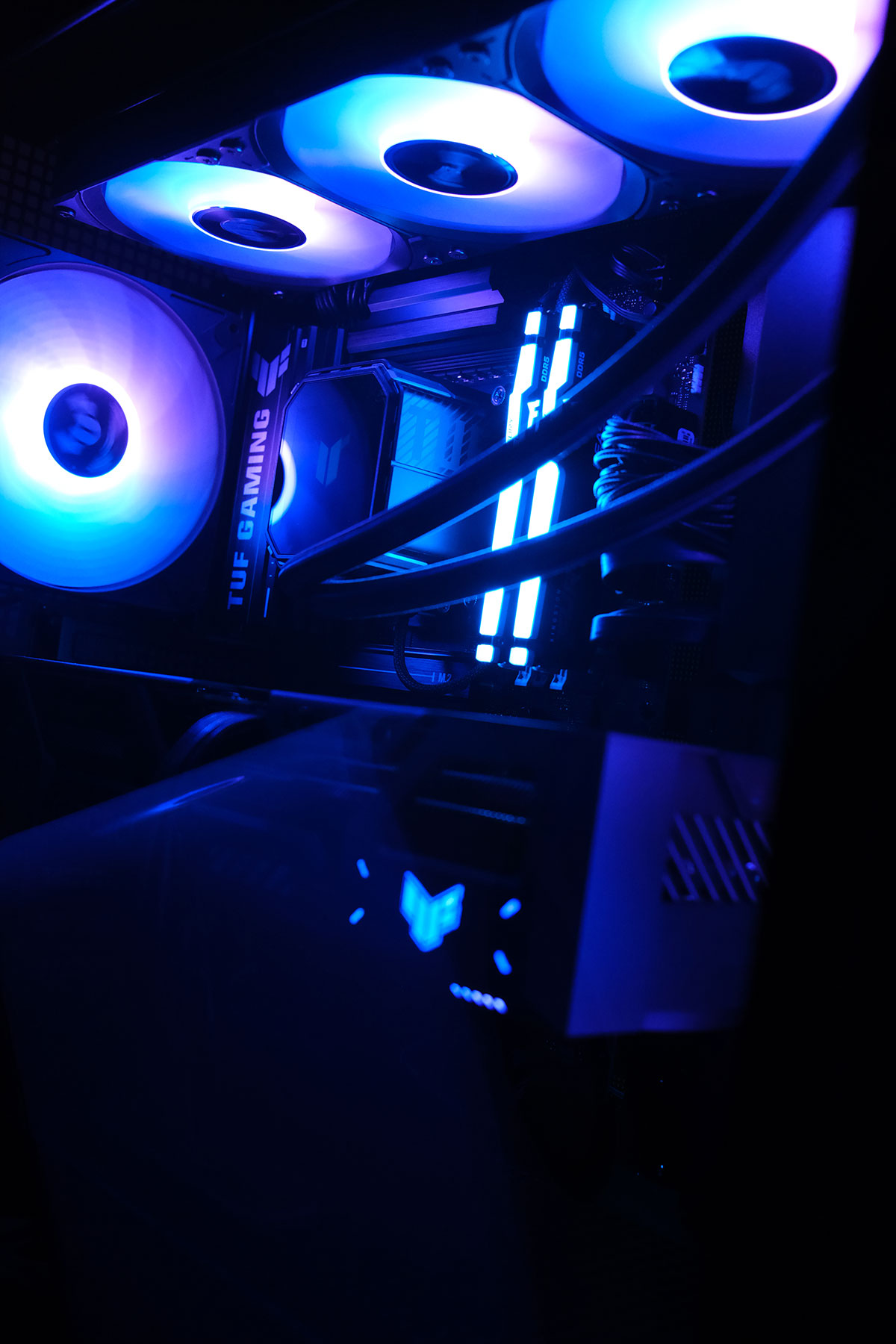
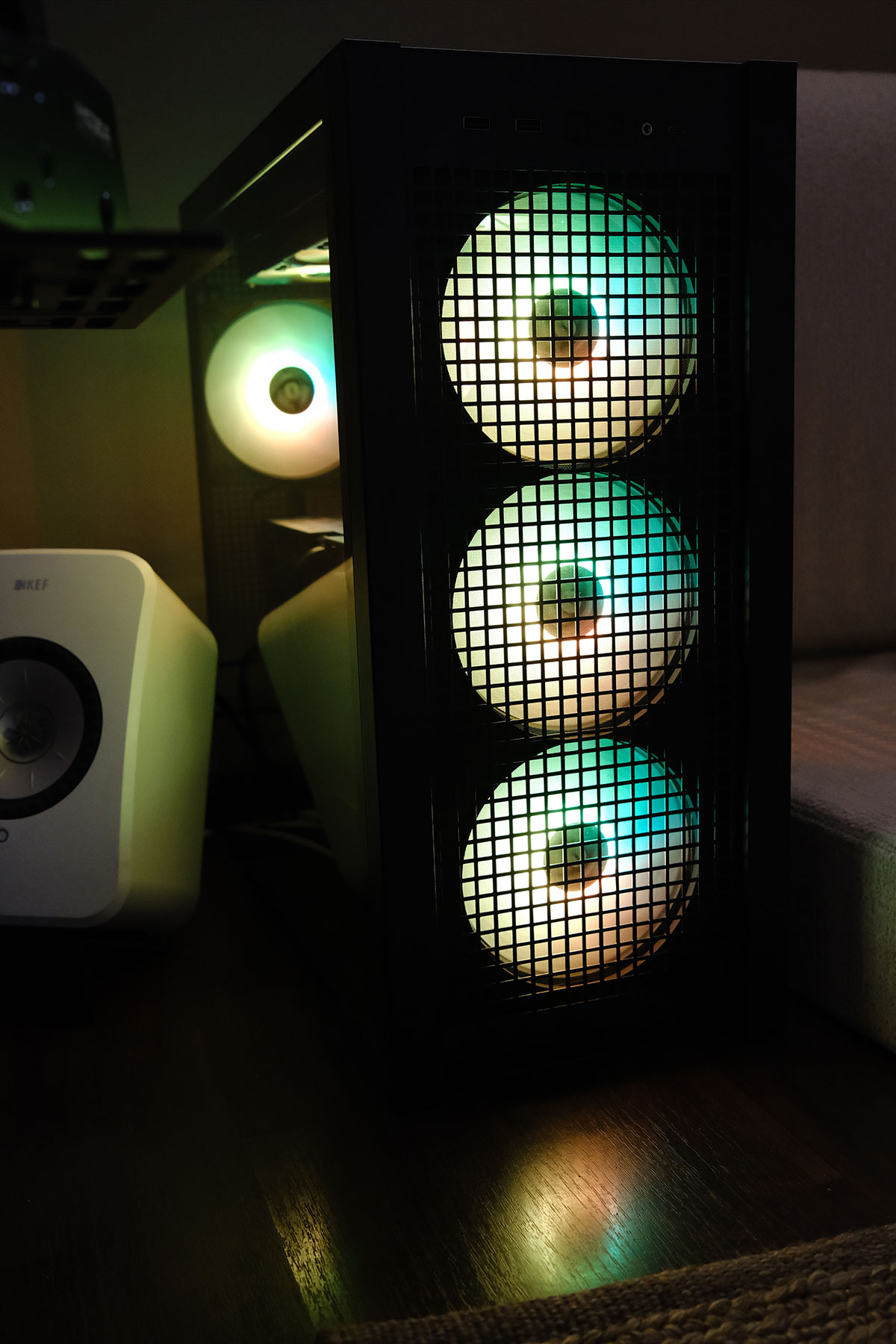
Currently, my computer looks like a Christmas tree with all these colorful LED’s. I have 8 fans, 7 of which have brights LEDs that are cycling through the rainbow. I have an LCD screen on my cooler for some reason that is playing an animation but can actually play videos as well. Even when the computer is in sleep I have some part of the motherboard glowing rainbow colors from the back. And why RAM sticks need brights LEDs?
This whole obsession with lights and screens INSIDE the PC is really bizarre, but whats weirder is I’m kinda liking it. I wouldn’t be surprised if in a few months I didn’t end up getting more screens and LEDs to put inside the case.
I also have a bunch of technical issues I’m trying to solve at the moment. My TV is 120hz but when I set the PC to 120hz the screen starts to flicker every few seconds, so I’m forced to keep it at 60hz for now. The ASUS software that controls the LED’s also doesn’t recognize the case or the cooler so I can’t control those LEDs yet. My first experience running Assetto Corsa Rally and Dirt Rally 2.0 didn’t result in graphics that much better than my Xbox. But I guess I knew that would be the case already, Dirt Rally 2.0 isn’t a new game and runs in ultra settings on a lot weaker GPUs perfectly fine. But it’s all about the mods, and I think once I get all the technical stuff out of the way I can focus on gaming and downloading ultra realistic graphics mods to really get the GPU working.
So far I’m obviously regretting this purchase. It was 100% stupid and knowing me I’ll end up installing Duke 3D, Red Alert Aftermath or the original Theme Park and end up just playing those. But in the long run, at least I’ll have a good PC to run GTA6 if it comes out this year. Also maybe down the line I can get a second screen and set it up for flight simulation. I don’t know, I’m just trying to convince myself I didn’t make an expensive mistake.
16 replies on “I did it, I built a gaming rig :(”
“I’m just trying to convince myself I didn’t make an expensive mistake.” – We all are 😂
On the flip side, if you ever lose interest in gaming, you could repurpose the setup for self hosting, running local LLMs, music production, coding, 3D modelling etc. The possibilities are endless!
Pro tip: is your RAM running at the rated 6000 Mhz? Since you have a B850 board, you can enable AMD expo profile to overclock it to that speed. The default is 4800 Mhz I think. Happy gaming!
interesting I didn’t know that, I thought it would be running at 6000 by default so will have to check. I also need to check that the drive is running at full speed as well. but first need to get the 60hz -120hz issue sorted, supposedly it’s a driver issue and I need to uninstall and reinstall.
Oh and weirdly my TV is Geforce compatible or something so now the tv overlay graphics have been taken over by my Nvidia graphics card somehow. Kinda cool.
You can check RAM speed in windows task manager > memory. It is displayed in the bottom info pane.
I think SSDs run at full speeds by default if you’ve connected it to the right pcie slot (gen 5 as you said) and no special software or driver is needed. You can speed test them using Crystal disk mark.
Silly question but the TV is connected to the GPU and not the mobo right?
yup, I didn’t even check to see if my motherboard had an HDMI output, but yeah it’s connected to my GPU. I have 5 ports, need to double check that they’re all the same.
Hmm, at this point it sounds like a cable bandwidth issue since you mentioned flickering. I use displayport for high refresh rate because I had problems hitting high refresh and high resolution at the same time using Hdmi. But I use a regular monitor, not a TV.
Could be, I’m assuming it isn’t because it was working fine with Xbox but maybe the PC sends over more bandwidth than the Xbox.
Congratulations on the build ! Happy gaming.
For the flicker – check if you have an HDMI 2.1 cable.
Pushing 120hz on 4k res takes up a whole lot of bandwidth.
As a temporary fix, you could try setting your resolution to 2k and check if the flicker goes away – if it does, then the cable is the issue.
ok I think both of you were right. I just changed the cable and it worked. Whats weird is the cable I just used was the previous cable I had for my Xbox which for some reason was causing flickering issues on this TV. So I started using a different cable. Now that cable is causing flickering issues with my TV but the old cable is.
Whatever the case, I got 120hz working and HDR with no flickering!
I built a nearly identical setup, except for the fact that my mine is an AMD Ryzen 7 9800X3D, an ASUS GeForce RTX 5070 Ti and air cooling, a 750W Gold power supply, and a different case. The total cost, including Windows without the monitor, was approximately 760KD±. I also ordered some of my items from Amazon.
how far back was that out of curiosity, and how much did you pay for your ram and hard drive when u bought it? I’m curious to see how much prices have gone up
Yeah, I forgot to mention that it was about 7-8 months ago, and I think that was before the inflation started. I was like, “What am I doing?” But later, my friend told me that I was lucky because the prices are going up.
Ram : TEAMGROUP T-Force Vulcan DDR5 32GB – $114.99
SDD: Samsung 990 PRO SSD 2TB NVMe M.2 – $159.99
You did the right thing. Getting a Rig for work, play and own project is never a mistake. Beside, IF you are into gaming and racing type, check racing with VR or Ultrawide monitor for future.
well iracing and Apple Vision Pro are working on something together so lets see!
https://blogs.nvidia.com/blog/nvidia-cloudxr-apple-vision-pro/
scroll down to the end, also X Plane works so I wonder if I can try that.
Congrats on the PC, now it’s time to download iRacing, Assetto Corsa Rally, Assetto Corsa EVO, and LMU.
Good luck!
Need to get the KMT track!
Whatsapp me I’ll help you with that