
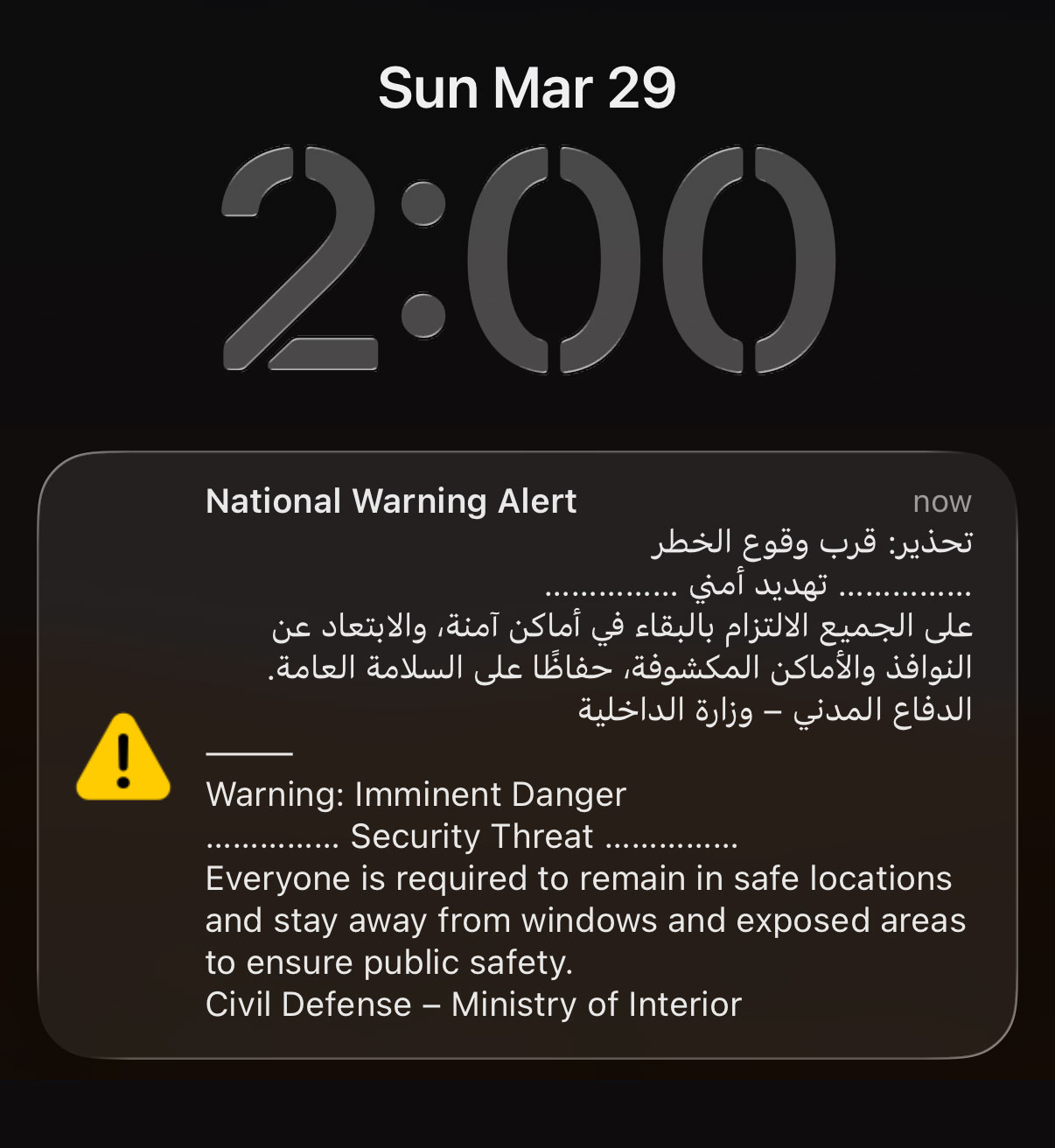
If like me you woke up from deep sleep at 2AM to a sound of an air horn, this is how you can turn off the National Warning Alert:
Step 1: Put your phone in airplane mode
Step 2: Turn on WiFi
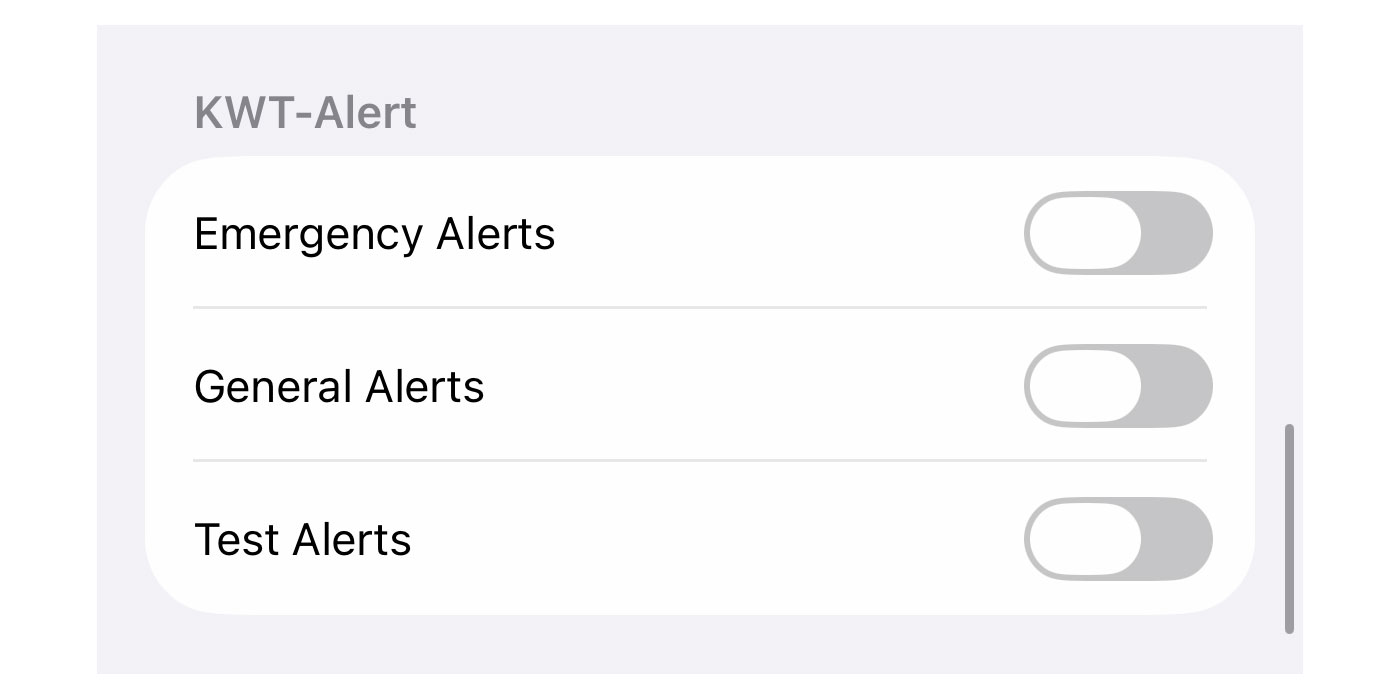
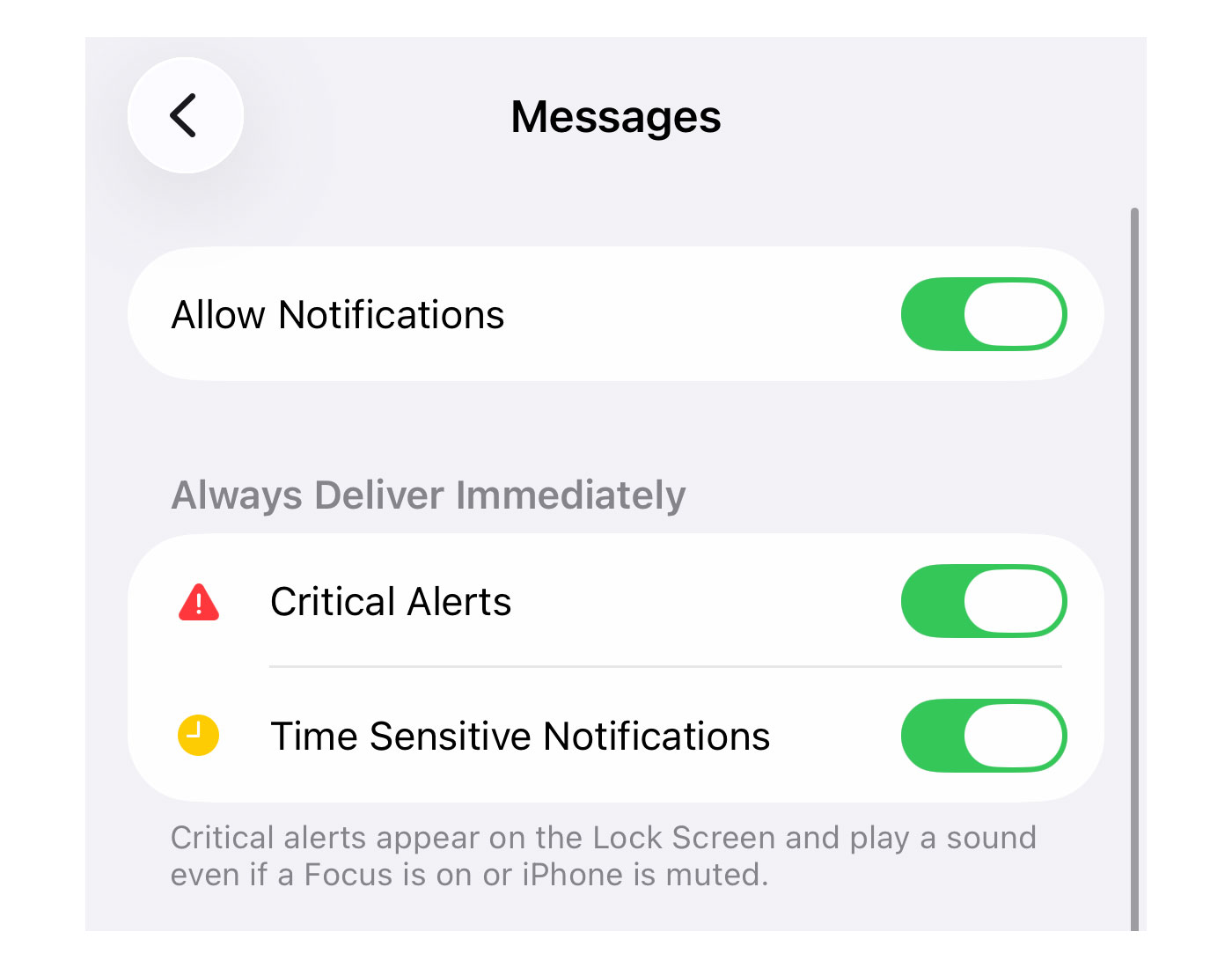
This is the only way I found to turn off these alerts, switching off cellular. Every other way didn’t work including turning off “Critical Alerts” or the “KWT-Alerts” under notifications, at least on iPhones.
Turning your WiFi on is optional but the reason I’m suggesting you do that is so you can continue to receive WhatsApp messages or calls in case of emergency (from family and friends).
I’m not sure what percentage of the population switched off their phones last night but I imagine it was very high. These phone alerts should really be used only in extreme cases like when a tornado is about to hit Salmiya, or when Godzilla emerges from the sea.
23 replies on “How to turn off the National Warning Alert”
Thank you so much. I will try this, because I’ve tried all the other options, but still got woken up 6 times. Agree, only use this in extreme cases 👌
is there anyway to reduce the volume?
Place your phone an airtight box.
A friend told me that his second which didn’t have a sim and WiFi was turned of also did the air horn alerts
Your friend might be just pulling your leg. Just turn off your SIM and you won’t get the alerts, not that hard to test. Thats what I did and other than the first 2AM alert I didn’t hear another one until around 5:30AM when I turned my sim back on and I got another alert, thats how I found out turning off critical alerts doesn’t do anything.
I have a 2nd phone with no SIM, only Wi-Fi and it still received the alerts. I ended up turning my 2nd phone off and I am disabling the National Emergency Alerts on my main phone as we speak. Both are Android, and there is a website that shows you how to do it.
Put the phone on airplane mode like I mention in the post. You need to disable the cellular even if you don’t have a SIM card in it.
Yes, that’s true, I have a phone hooked up to wifi with no sim for playing mobile games, another phone with a Qatar sim and when I opened up the phones there was 6 alert messages. I woke up to the first one at 2 am, the second and finally the third, that’s when I turned off my phone so I could sleep but I was stressing more than when I have my fan on and can’t hear a single thing.
Just turn of the sim card. Or as the post said turn on airplane mode and turn wifi back on.
Once i learned the alert thing was going to be installed about a week ago i went to my iphone settings and turned all alerts and notifications off. I didnt receive any alarms last night. I have an iphone 11, it doenst have the latest update and the storage is full. I couldnt be happier.
Haha! I agree with you I’ve got the same model and I’m so blessed after listening to all others who did and update the phones to a newer version of iOS 😛 couldn’t have been happier ! My storage is also full😆
It’s sad but also yay us 😭
They should use this for extreme warnings only, like radiation leak or something of that level of seriousness. It’s not like anyone actually goes to a shelter for the regular drone/missile attacks.
Technically you can switch off these alerts with a jailbroken iPhone, but there is no jailbreak for 26.4 yet. You could roll back to 26.3 (but only if you have a backup on iTunes). Otherwise it’s airplane mode to sleep.
PSA: Also switch off (or airplane) your Apple Watch cellular. After the third alarm last night I killed my iPhone, but my Apple Watch Cellular still went off at the fourth alarm.
My second phone which does not have a sim, only connected to wifi definitely alerted every time. Eventually turned all phones off.
What internet provider do u have?
You don’t even need to have WiFi on. Reception occurs even on devices without a SIM card because these alerts use Cell Broadcast Service technology. This is a one-way broadcast sent directly from nearby cellular towers to all phones in range. The iPhone’s cellular modem remains active and listens for such broadcasts (even without an active SIM or service plan) to support emergency functions, such as dialing 911 or equivalent services. No internet, Wi-Fi, or carrier subscription is required; the alerts are not targeted to individual devices but are received passively by any compatible iPhone with its cellular radio powered on.
So I went searching for this, and the above info is what I found, along with a couple of tragic/hilarious tales of marital infidelity uncovered by the introduction of these alerts in various countries.
When airplane mode if on though you don’t get the alerts including cell broadcast service because the cell modem is switched off. So phone with no sim with cell service on would get the alert.
“when Godzilla emerges from the sea” i died laughing
Last night I tried the airplane mode and just left my WiFi on, I didn’t get an alert. Both Android & iPhone can use the routine setting where the flight mode can turn on automatically at the set time you want in my case at 12am Flight mode turns on automatically) and it can be closed automatically as well at 7am. This is the best solution now, hopefully the Gov. will let us decide to turn the alerts on or off soon, cause most of us can already hear the sirens from inside our homes without the phones TBH
I have activated “do not disturb” option with exclusions and it does receive alert but does not sound.
I’m really worried about what’s going on in Kuwait. There was already an attack at a desalination facility, what will anyone do when there’s no clean water available?
When Godzilla emerges from Messilla beach, all comms, radio towers would get fried anyway! 🤷🏻♂️