Elago Slim Stylus for the iPad

Posted by Mark

If you own an iPad you’ve most probably already downloaded Draw Something or Paper by FiftyThree. If you haven’t all you need to know is that they are two very popular apps right now that involve drawing. The regular way to draw on the iPad is using your fingertips but you can also use a stylus for a more natural feel.

I searched Xcite, Office Depot and Blink and ended up going for the Elago Slim Stylus from Blink. I thought from all the models I checked, the Elago stylus looked like something Apple would have designed themselves. The stylus weighs enough to feel comfortable and is made of metal but has a rubber tip. It also comes with an extra rubber tip in case you damage one for some reason.

Drawing with a stylus is a lot easier than drawing with a finger obviously. I won’t show you how my drawings improved using the stylus because I can’t draw for shit with or without the stylus. But it really does make a difference and if you’re having difficulty drawing properly with your fingers or if you’re serious about illustrating on the iPad then getting a stylus is a must. Their prices range from around KD3 and upwards. The stylus I got cost me KD7.250 which is very reasonable and just KD2 more expensive than amazon. It’s definitely worth getting a stylus.


En Mexico – Mexican Cuisine

Posted by Mark

Tonight I passed by the new Mexican restaurant in Jabriya called En Mexico. It’s a new place that has been open for around a month now. A friend of mine on twitter had recommended the place so I decided to see if it was any good.

The place is small, cozy and located right across the street from Champions Gym and only around 50 meters from Early Bird. When we arrived there was only one other table occupied and so we were able to quickly sit down and check out the menu. I already knew what main courses I was going to have based on my friends recommendation which was the grilled chicken burrito and the braised beef brisket tacos. I also orders chips and guacamole and the jicama and mango salad.

The salad came first and I didn’t think much of it. It’s made up of sliced jicama (which is a sweet vegetable) and sliced mango. Problem is neither the jicama nor the mango were sweet so the salad felt a bit dull. The chips and guacamole followed soon after and I thought the chips were great but kinda regretted not ordering the regular salsa instead of the guacamole dip. So far I wasn’t too impressed but I was hoping things would change with the main course and luckily things did.

Both the chicken burrito and the beef tacos arrived at the same time. I ordered both of the dishes without any bell peppers but didn’t change anything else. The first thing I started eating was the chicken burrito which was pretty good although I wished it had a bit of spice. Later I found out that they were serving it spicy but customers were complaining it was too spicy. They’re still fine tuning the dishes so by the time you try it the spice level should have been adjusted. Now the star of the night was the beef tacos and that’s the dish I’d go back for. One bite into the taco and I knew this was it. The flavors just burst into my mouth and it completely turned the dinner around. The taco is soft which makes it easy to eat and I really loved everything about it. Once we were done I wanted to order the churros with chocolate sauce for dessert but turns out they needed 20 minutes to serve so I decided to pass on it.

En Mexico is currently still in a soft launch but I already have a favorite dish there. Next time around I would probably start off with the chips and salsa, I’ll skip the salad and order two side dishes instead, the Elote which is a mexican style grilled corn on the cob and the jalapeño corn bread with honey butter. For the main course I’ll definitely stick with the beef tacos but next time will make sure to order the dessert as soon as the main course is served.

While I was leaving in my car after dinner I nearly ran over the owner while reversing which was a funny incident. He’s a cool young Kuwaiti guy who’s running the place at night while having a regular day job during the day. I told him I’d be back again which I will. They’re currently only open in the evenings and they’re easy to find as long as you can get to Champions Gym. You can check out their menu by clicking the links below:

En Mexico Starters, Mains and Desserts
En Mexico Salad and Sides


Datacolor Spyder4Pro Review

Posted by Mark

Alghunaim Photo contacted me last week asking me if I’d be interested in reviewing the Spyder4Pro monitor color calibration tool. Since I’ve always wanted to try one of those tools I passed by and picked it up and then spent the weekend playing around with it.

Every monitor displays colors differently and my 27″ iMac never really felt very accurate when compared to other screens around the house. Even though there is an option built into the Mac system to calibrate the color, it involves a lot of eye squinting and results in a final calibration that I don’t trust. The Spyder takes away all the decision making from me, kinda like a little robot with a focus on keeping the colors on my screen calibrated.

First thing you need to do is install the Spyder software and connect the Sypder to a free USB port on your computer. When you run the software the first test it performs is to measure the ambient light in your room using the light sensor on the Spyder. Once it’s done measuring the light the software then asks you to hang the Spyder on top of the illustrated Spyder on the screen. The Spyder software then proceeds to perform a bunch of tests displaying various colors on the screen while the Spyder measures the results. After a few minutes the test is completed and you’re given an option to either save the new settings or go back to your previous one. You can also compare the new settings with the old one and they even provide you with a variety of pictures to use for comparison.

The best way to perform the before and after comparison is turn away from the screen while changing from one setting to the other. By flipping between the before and after I realized that before the Syder calibration my iMac screen colors were a very cool tone (cool = more towards the blue). After the calibration the colors are more balanced and even the screen brightness which was absurdly bright before is in a much more natural state after the calibration.

All is not good though since I do have a few quibbles here and there but they’re mostly the fault of Datacolor the company and not the Spyder product. My biggest issue is with the documentation or should I say lack of it. The manual doesn’t really tell you about any of the features of the Spyer and it’s also out dated. According to the manual the way to hang the Spyder onto the screen during the tests is with the help of the supplied rubber bands. But the model I got didn’t have any rubber bands and used a simpler newer method using a movable counter weight on the cable. Because of the lack of documentation there’s one feature that’s still confusing me. When connected to your computer the Spyder continuously measures the ambient room light and informs you with a a red icon if the light is different from when calibrated. What’s confusing me is what to do when the ambient light doesn’t match the one the test was performed with? Do I calibrate the display with different ambient light? Do I perform a test during the day and a test during the night? Do I switch between the different color settings myself? I have no idea what to do and the Datacolor website doesn’t even have the latest manuals uploaded yet alone answers to my questions. If you actually do end up purchasing the Spyder I would actually recommend you visit the product page on Amazon where one reviewer has a step by step guide on how to set everything up. That’s how poor the product’s documentation is.

But, even with the poor documentation I’ve still decided I’m going to purchase the Spyder4pro. The thing is it works and it works really well. Within just a few minutes after setting up to your computer you’ll start seeing results and the difference in some cases can be dramatic. It’s really something every serious photographer should have and also anyone doing any sort of design work. I highly recommend it.

Usually at the end of a review I’d proceed to place links to Amazon but in this case Alghunaim actually sells the Syper for prices slightly less than Amazon. He has three models in the store priced as following:

Spyder4expree KD38
Spyder4pro KD45
Spyder4elite KD65

The three Spyders are similar but each offers additional features than the other model. To see which one is suitable for you check out the chart [Here]

I’m going with the Spyder4Pro because it has the ambient light sensor which is missing from the Spyder4express and I also don’t really need any of the extra features from the Spyder4elite.

Alghunaim Photo is located in Baitak Tower in Kuwait City. Here my my previous post about them [Link]


Panasonic GX1 Review

Posted by Mark

The original Panasonic GF1 is easily one of the most enjoyable cameras I’ve ever used. I got it two years ago and it quickly replaced both my Canon G11 and Nikon D90 DSLR. Size wise it was slightly larger than the Canon G11 but the quality of the shots easily matched that of the Nikon D90. The camera was very well built and had a fantastic and bright 20mm f/1.7 lens and really my only issue with the camera was that the image got fairly noisy once it hit ISO 800 and above. The new GX1 is the GF1 replacement and it’s better than the GF1 in practically every way. I’ve been using it for sometime now so here’s what I think of it so far. This isn’t a comprehensive review, you can find those reviews online, this is just a review of the things I liked.

What I like about the GF1 and GX1 is the size since they’re small enough to fit into a jacket pocket and light enough to sling over my shoulder without noticing the weight. The reason I always stuck with the 20mm lens and never got a more practical zoom lens is because of the size. The 20mm lens is very compact while all the zoom lenses were pretty big and so added bulk to the camera and made it less pocket-able. But, with the launch of the GX1, Panasonic introduced a new series of lenses called X Lenses. These lenses have powered zooms and are a lot more compact than their regular lenses (Here is a comparison picture). How compact? Well the 14-42mm lens is now exactly the same size as the 20mm lens when closed. It’s super compact!

There are a few changes in the over look and feel between the GF1 and GX1. The GX1 is slightly smaller but now has a larger rubber grip on the front which makes holding the camera a lot more comfortable. The buttons have been shuffled around slightly in the back and they’re now made of metal instead of rubber. The rear screen was also replaced with a touch screen which I thought I would hate but I actually like a lot. The main reason I like it is because it makes focusing faster. I like to shoot with the “rule of thirds” so I can now frame my subject anywhere on the screen and then tap where I want it to focus. The touch screen also makes it easy to change various options and settings. Actually that’s one of the best things in this camera, the ability to change various options and settings without having to go into the camera menu. The camera has two customizable physical buttons on the rear and two more buttons on the screen which I can customize and if that’s not enough I also have a “Quick Menu” which I can access with a click on the rear screen which also pops up a bunch of other buttons which I can also customize.

ISO performance is a lot better compared to the GF1 and noise isn’t noticeable until you pass ISO 1600. The camera focuses much quicker as well not that it was slow before. Really everything about the camera is either slightly improved or better than the GF1 which I thought would be impossible to do. The only thing I’ve noticed that is actually worse is the battery life but that’s probably because the X Lens consumes more power than the regular lenses.

When the original GF1 came out it really didn’t have much competition other than the Olympus PEN series but now things are completely different with Fuji, Sony and Canon all coming into the picture with their own variations of the same idea. The only other cameras I was considering were the Sony NEX-7 and the new Fuji X-Pro 1. The NEX-7 is a great camera but Sony doesn’t have that many great lenses and they’re all really big which makes the camera not very portable. The X-Pro 1 is also a really great camera with really good lenses but the size and price put me off as well. In the end I don’t have any regrets and I would highly recommend this camera to anyone looking for a great carry every compact camera.

I got mine from Amazon and they have three different kits:
Panasonic GX1 Body Only $699
Panasonic GX1 with the 14-42mm Lens $799
Panasonic GX1 with the 14-42mm X Series Lens $950


The Early Bird

Posted by Mark

I finally got to try The Early Bird today for the very first time. I have no idea why it took so long but glad I finally did. The place was slightly larger than I expected, it had around 5 tables on the inside and maybe another 6 outside. It’s a breakfast place so you obviously have all the usual breakfast options like eggs, pancakes, waffles etc.. I was craving pancakes so went with that and customized it by having chopped bananas, sausages, country fried potatoes and added a scrambled egg on the side. Nat went with a healthier option, Bianca’s Breakfast Omelet which is an egg white omelet containing turkey ham, spinach, tomatoes, onions, bell peppers, cilantro and cheese served with a side of fruit.

Everything tasted great and the portions were pretty big. The fact they have a healthy section with egg white omelets is a huge plus. The only negative really is the size of the place but they’re pretty organized and you can sit in your car while you wait for a table to free up so it’s not that bad. They have two locations (Jabriya and Fahaheel) and if you’re interested in trying them out check out their website, they even have their full menu there with the prices as well. Here is the [Link]


Tempur Mattresses and Pillows

Posted by Mark

Last month the Tempur dealer called me and offered me a mattress to review since they were hoping to get some publicity for their recently opened Tempur store at Tilal Complex. I was hesitant at first since I was actually pretty comfortable with my mattress but since I didn’t have anything to lose I decided to try it out.

Tempur have three main mattresses to choose from, the Tempur Original, the Tempur Sensation and the Tempur Cloud. I tried the Original but found it a bit creepy since the mattress felt alive due to the way you sink into slowly. Kinda like quick sand. The Sensation and Cloud were more to my liking and I had trouble deciding between the two before going for the Cloud which I thought was a bit softer than the Sensation.

It’s been three weeks since I got the mattress and I have to say I really love it. I never had an issue with my previous mattress but I don’t think I could go back to it after experiencing the Cloud. It’s going to be a bit hard for me to explain how the new mattress is different but one way I can describe it is that it’s cozier. Like everything Tempur their special material takes the form of your body, kinda like the bed is hugging you which actually explains the cozy feeling. The bed doesn’t use any metal springs and isn’t bouncy at all. One person could jump up and down on one side and the second person wouldn’t feel a thing. They actually have a small demonstration in the store where they drop a metal ball onto regular foam and Tempur foam. When the ball drops onto regular foam it bounces back up into the air but when the same ball drops onto the Tempur foam the impact is absorbed and the ball just stops. One way I feel it is when getting out of bed in the morning. When I try to push off the bed with my hand it actually absorbs some of the force which takes a little bit of getting used to. But, it’s really such a great feeling sleeping on this mattress.

In addition to mattresses they also have pillows and other Tempur accessories in their showroom. They have everything on display for you to try out and even if you’re not comfortable lying down out in the open they have a small room where you could try out the mattresses and pillows in private. If you’re interested, the Tempur store is located in Tilal Complex and their phone number is 22256191.


Dinner at Ubon

Posted by Mark

Earlier tonight I passed by Ubon, the new trendy Thai restaurant that opened up in Kuwait City. I’m not a big fan of Thai food but the place is located in my office tower and the interior looks amazing so I had to try it. Below is what I ended up ordering.


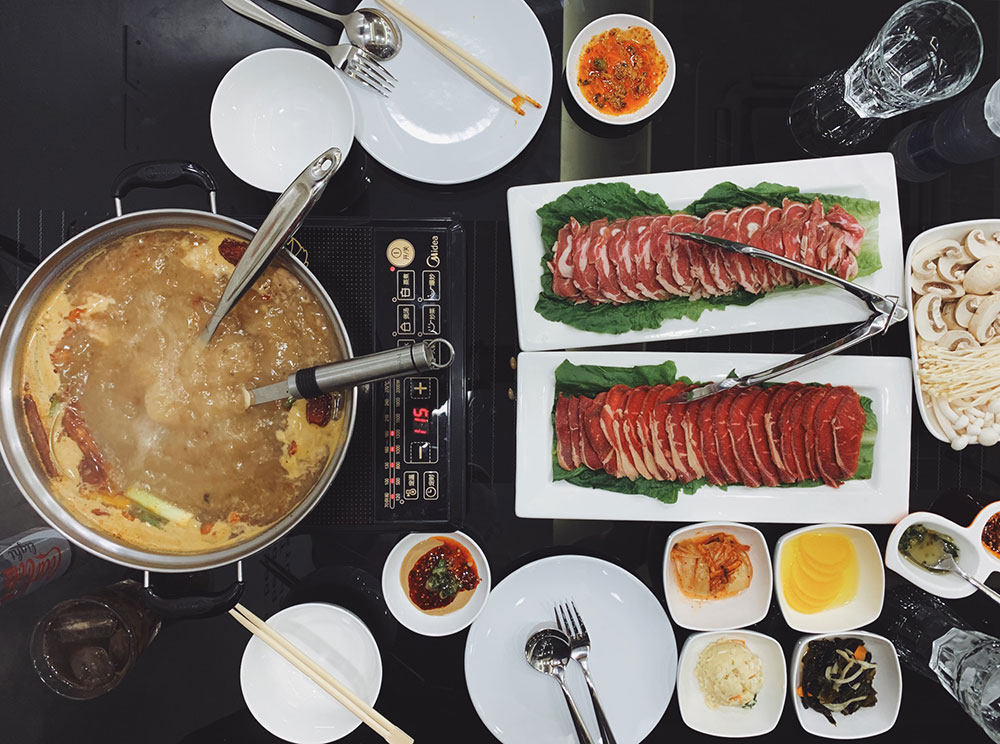
Tom Yum Goong Soup (KD2.400) It’s a hot and sour prawn soup with mushroom and vegetables. I asked mine to be made medium spicy which turned out to be too spicy for my liking.


Chicken Satay Sticks (KD2.200) These were really great. I kinda wish the peanut sauce was a bit thicker but that’s an issue I have with Thai food in general.


Green Curry Chicken (KD3.000) + Jasmine Steamed Rice (KD1.000) I loved this dish but next time I’m ordering it without the veggies.


Sticky Rice with Mango (KD2.800) This was the biggest surprise. I ordered it unwillingly since I didn’t find anything else on the small dessert list. It didn’t sound great (rice dessert?) and when it came it didn’t look that appetizing either. But after scooping up a bit of rice with mango and taking a bite I fell in love with it. 99% of the desserts I have involve chocolate so it was extremely refreshing to finally find a chocolate free dessert that I can really enjoy.


Fried Banana with Honey (complimentary) I originally wanted to order this for dessert but was told it wasn’t available. After my Sticky Rice with Mango arrived they told me that the Fried Banana was available and they would serve it to me after the Sticky Rice. I’m honestly glad they had originally told me it wasn’t available or else I wouldn’t have discovered the Sticky Rice. The Fried Banana is a very safe option and wasn’t that exciting. My recommendation would be to go with the Sticky Rice.

I had a good experience tonight and I can’t wait until they start opening for lunch since it would be very convenient for me. Right now they’re open from 6 to 11pm. Price wise they’re very reasonable and the portions are pretty good. I’m glad someone decided to open something other than a burger or frozen yogurt place. Now if someone would open a small trendy Chinese restaurant.

To find out more about Ubon visit their website [Here]


My Ford Explorer 2012 Experience

Posted by Mark

I was contacted by Ford recently to test drive their all-new 2012 Ford Explorer. The last time I had driven an Explorer was ages ago and it was on a road trip from Montreal to New York and all I remember was how comfortable it was. Their new car looks a lot better and more exciting compared to their previous model which is why I was looking forward to trying it out.

The first thing I noticed when I started the car was the combination of an analogue and digital dashboard. The speedometer was analogue while the information on both its sides were digital which I thought looked very cool. The second thing I noticed was the large screen in the center console which turned out to be touch sensitive and featured something called SYNC which I’ll go into detail in a bit. So first impressions wasn’t bad at all.

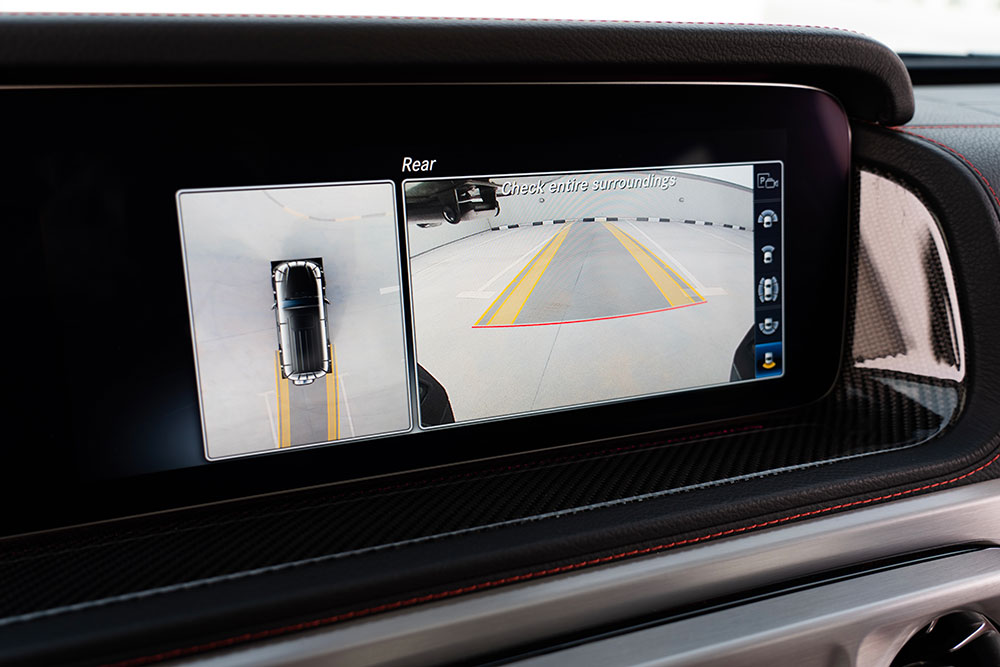
Since I had the car with me all weekend I drove it down to Bnaider and as expected the ride was very comfortable. The Ford is pretty big and spacious with three row of seating with the last row of seats having ample leg room. When the last row is folded down you also end up with a pretty large and spacious boot which I like to call IKEA friendly. The model I had (XLT) came with a rear view camera which was practical although I wish it also came with a front cam or at least front sensors since the front of the car is pretty long and high. While we’re on the subject of wishes there are two things I really disliked in the Explorer. The first is the touch buttons on the center console. For some reason Ford decided to have all the physical buttons touch sensitive but I have something against touch buttons because I can’t tell if I’ve pressed them or not specially when my eyes are on the road. Although you hear an audible alert when you touch a button I always prefer to actually feel a button being pushed in which doesn’t happen with these buttons. The second thing I disliked about the car was that it was front wheel drive. I thought that was odd for an SUV especially since it was full time front wheel drive and didn’t have an option to flip into four wheel drive. That turns out is an extra option which the car I drove wasn’t equipped with.

Other than those two quirks I didn’t have any other major issues. The SYNC feature which I mentioned earlier is very cool although I wasn’t able to fully take advantage of it. Right below the center console is a small compartment which can easily hold an ipod or iphone with accessories. In that same compartment is an SD card slot, two USB ports and RCA (video and audio) inputs. The car also has built in bluetooth and Wifi. I’m not sure why all the cars don’t come fitted with Wifi, it should really be a standard feature nowadays. I was also able to connect the car to my phones 3G connection using bluetooth but the car can also connect to internet using USB 3G modems and Wifi. You could also have the car connect to your phones internet via bluetooth and the car can then share the connection over wifi for other passengers to use. My problem is once the car connected to my internet I didn’t know what I could do with it. I’m guessing I need to download apps or widgets but since it wasn’t my car I didn’t spend too much time experimenting.

The car I drove had a pearl white exterior with a beige interior. If I was getting this car I would definitely go for a gray or black interior since it would make the car interior look a lot trendier but I’m not sure if they carry those colors locally. The starting price for the new Ford Explorer is KD9,999 and goes up to KD14,000 depending on the features and model. For more information on the Explorer click [Here]

Ford if you’re reading this.. I WANT TO TEST DRIVE THE RAPTOR!


Kuwait Airport App

Posted by Mark

This is a very simple app which allows you to track incoming and departing flights at the Kuwait Airport. Back in the old days (I’m talking around 2001-2002 here) the Kuwait Airport website was terrible (kinda like now) but it had one very cool feature. When you accessed the airport website from a PDA browser, it wouldn’t take you to the regular website but instead take to a very simple white background site with just a list of incoming flights on it. It was PERFECT! A lot of times when I needed to check the arrivals list it would usually be when I’m on my way to the airport and from a mobile device. That simplified version of the website made things very practical and I was actually really surprised the airport website had that feature. Sadly, this cool feature disappeared years ago without a trace.

Which brings me to this app. It’s fast and focused. It’s actually the fastest launching app on my iPhone right now. So fast I actually had a VERY difficult time capturing a screenshot of the splash screen. Once the app loads it downloads the list of arriving and departing flights and you’re set. You can then scroll down the lists or search for a specific flight number or airline.

There are no negatives other than the fact the app isn’t free. You can download it from the App Store by searching for Kuwait Airport or by following this [Link]


iBadala vs Urban Moon

Posted by Mark

I have a habit of installing apps on my iPhone and then only using them a handful of times and never again. Over the years I’ve accumulated a ton of useless apps to a point where finding one I needed became a hassle. So I decided to do some spring cleaning and delete the apps I hardly use anymore as well as apps that do pretty much the same thing. For example I had two apps that I used to re-size images on my phone, two apps to listen to internet radio stations, two RSS readers and so and so. I also had two apps which I used to find numbers of local businesses, iBadala and Urban Moon. So which did I decide to keep?

First I’ll state the obvious, iBadala looks terrible. The app feels like it’s stuck in a bad design time-warp somewhere between Windows 3.11 and the Pontiac Aztek. It’s not a pretty app while Urban Moon on the other hand looks a lot cooler and feels trendier. It has a pretty icon and a nice start up splash screen that really helps with the first impression. So in the looks category, Urban Moon wins hands down.

When it comes to functionality though, things are completely different. Although Urban Moon is the better looking app of the two and one that feels like it should be easier to use, it isn’t. When I run either one of these apps it’s usually because I’m looking for a number, usually a restaurant to call and check if I can reserve or see how long the line to get in is. Whenever I run Urban Moon I first need to wait for the app to check for updates, and if any are found I have to wait for them to download before I can even start using the app. Depending on how fast my internet connection is at that very moment this could take 5 second if there are no updates (on my 4s) or 10 to 20 seconds if there are any updates. The thing is, even 5 seconds is too long since it makes the app feel sluggish right from the get go due to the app freezing on the start up screen until it’s done checking for updates.

iBadala on the other hand takes just 2 seconds to launch and is then ready to use right away. While Urban Moon has all the numbers built into the app, iBadala grabs a number for you from an online database. Although that sounds slow in reality the search can take as little as under a second depending on how fast your connection is. The disadvantage here is the fact that if you don’t have an internet connection you can’t find any numbers.

It wasn’t that hard really to choose between the two. Even though iBadala is an ugly app, I constantly found myself using it instead of Urban Moon to find numbers quickly. Even if there wasn’t a long wait at the start of Urban Moon I still had to enter a section (another 1 second lost) before I could get to the search box. In any case both apps are free so you could download both and try them out and see which you prefer. I actually got Urban Moon back when they were selling it for $3.99 but they’ve recently made it free (but added advertising) which I think is a better way to go about it.

Here are the links for both apps:
iBadala App
Urban Moon App


Page 6 of 26First456789Last