
Previously on my iPhone, whenever I got a spam message, blocking it was fairly simple, you clicked on the sender on the top and then a “Block this Caller” option appeared and I’d click it. But, with the new iOS, things are a bit more complicated and the “Block this Caller” option is now hidden in a different menu without an obvious way of getting there. It actually took me a bit of googling to figure out how to block callers in iOS10 so I figured I’d share it on the blog since spam messages are pretty common in Kuwait.
Step 1
Instead of clicking on the sender like you previously would do, you now need to click the little “i” on the top right of your phone (photo on top)
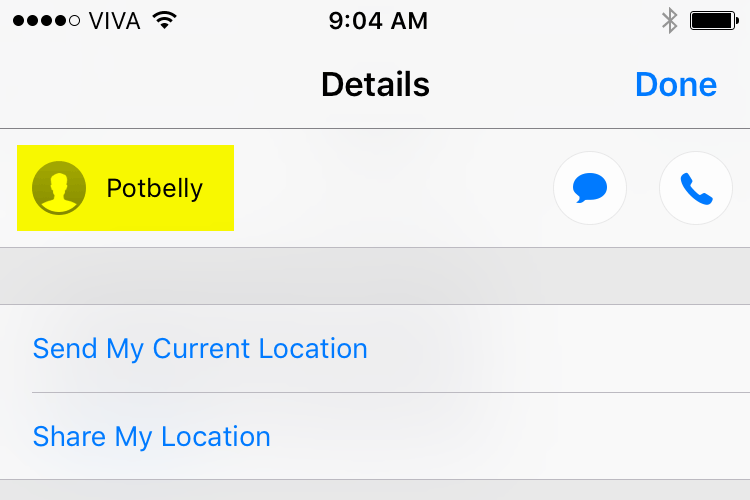
Step 2
In this second menu, you need to click on the senders name
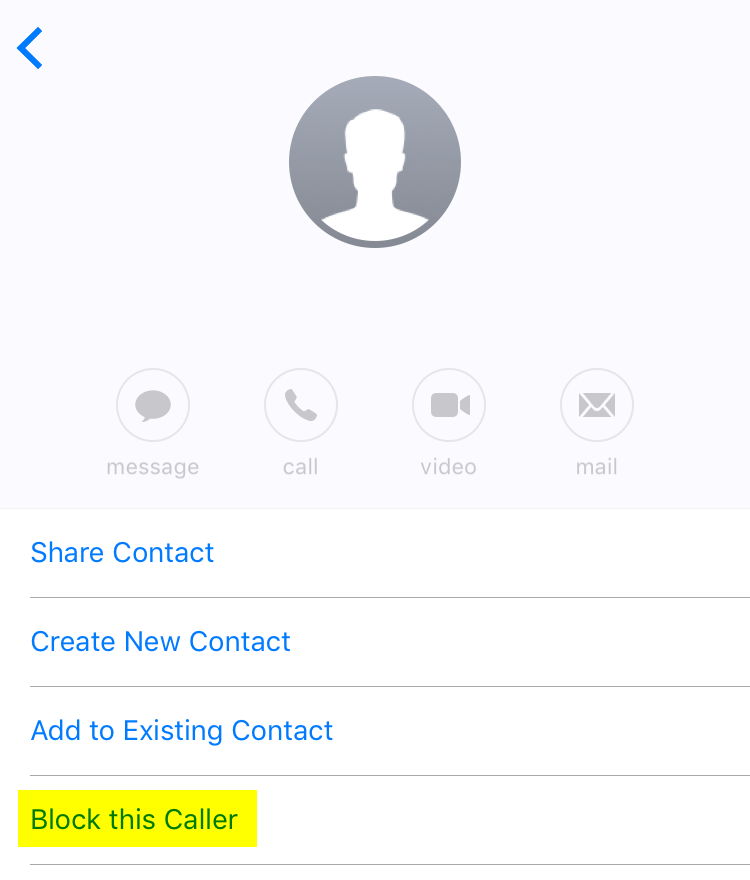
Step 3
Once you’re at the last menu you’ll now notice the “Block this Caller” option is available again at the bottom of the screen.